

Stop typing, start talking
The private Mac
dictation app
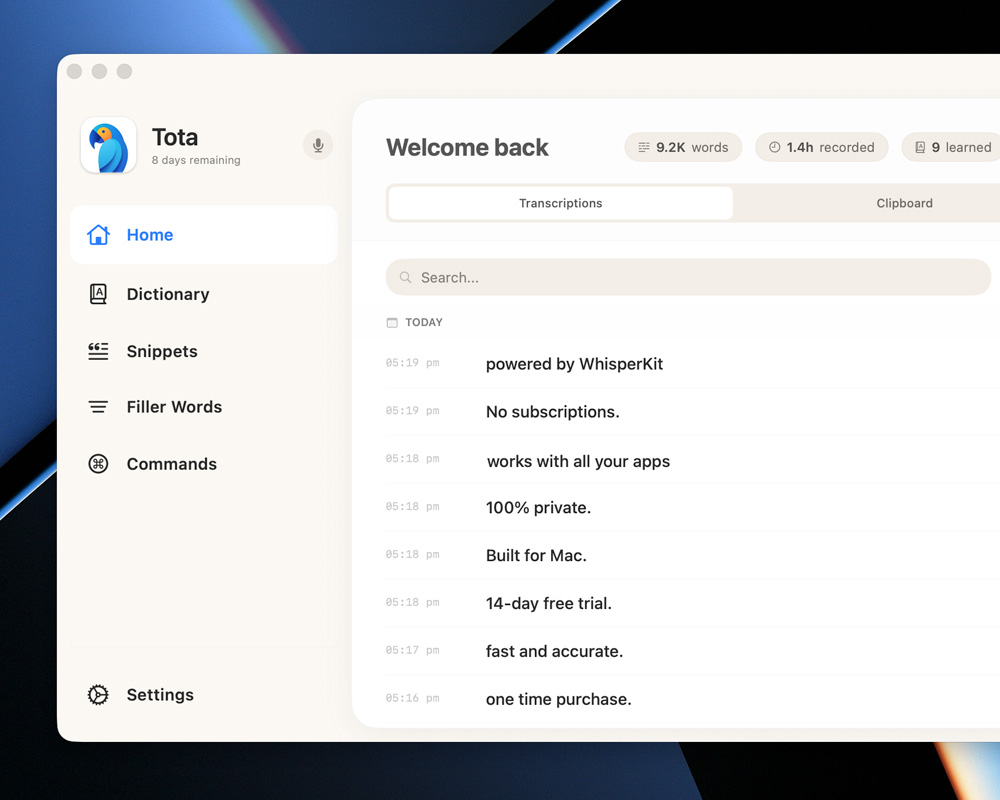
Voice to text directly into any document, application or text box. Tota turns your speech into words or Mac commands instantly.
Learn MoreYour keyboard is slowing you down
Fast, highly accurate transcriptions at the push of a button.
Works wherever you type
Tota fits seamlessly into your workflow. If you can type in it, you can talk to it or open it.





Powered by WhisperKit
Under Tota's wings, the app is powered by WhisperKit, an open-source framework by Argmax that runs OpenAI's Whisper models. It's the same world-class speech recognition you'd get from cloud tools - except it runs entirely on your Mac. Fast, accurate, and completely private.
Privacy first
No AI or LLM is hearing every word you say. Tota processes your voice locally on your device, ensuring your conversations remain completely private and secure.
No data ever leaves your device. Tota doesn't repeat a word to anyone, except your favourite apps when asked.
Speak messy. Read polished.
Smart Formatting tidies your dictation as you speak — fixing typos, sharpening grammar, laying out emails and messages, and turning rattled-off items into clean lists. Powered by an AI model that runs entirely on your Mac, so nothing ever leaves your device.
hi sarah hope your well can we catch up on the project tomorrow morning thanks ryan
Hi Sarah,
Hope you’re well. Can we catch up on the project tomorrow morning?
Thanks,
Ryan
Powered by Qwen 3
An open-source language model compact enough to run on Apple Silicon. It brings real understanding to your words — fixing typos, punctuation and grammar — completely offline.
Emails and lists, laid out for you
Dictate a message and Tota puts the greeting, body and sign-off on their own lines. Reel off a handful of items and they become a tidy list.
On-device AI. No cloud.
The formatting smarts of an LLM, running 100% on your Mac. No servers, no cloud, nothing ever leaves your device.
Supercharge your workflow with Tota
Features that make your voice powerful.
Umm...
Remove filler words
Automatically strip out hesitations to keep your transcriptions clean and professional.
Shortcut repetitive phrases
Say a short phrase and replace it with a snippet of text automatically. No more extra typing.
Control your mac, with your voice
Speak a 'command' phrase and watch Tota make it happen. Open, visit or action.
Secure snippets for passwords
Encrypted in your Mac's keychain, never shown again. Say the trigger, confirm with Touch ID, and it's pasted.
Chain commands together
One phrase, many steps. Build macros that open apps, press shortcuts and drop in dictated text — in order, automatically.
Add specific glossaries
Teach Tota the names, jargon and technical terms you use, so tricky words come out right every time.
Drop in a recording. Get the whole conversation.
Meetings, interviews, podcasts, voice memos — drag an audio file into Tota and get a clean, speaker-labelled transcript you can read, search and export. Runs entirely on your Mac.
Welcome, everybody. Thanks for joining us today.
Seniority used to mean you could write code that others couldn't.
You've looked at how Google measures engineering and progression.
Knows who's speaking
Tota separates each voice automatically and labels every turn. Rename “Speaker 1” to a real name in a click.
Timestamped, your way
Every turn is timed. Show one timestamp per speaker, one per sentence, or none at all.
Export to anything
Plain text, Markdown, subtitles (SRT), JSON or CSV — ready for your notes, captions or a script.
Pay once, use forever
Tota comes with a 14-day test flight (free trial). After the trial, upgrade once and enjoy forever.
Tota supporter
For personal and work use
- 2 seats (devices)
- Use iPhone mic in clamshell mode
- Priority support for one year (founder to hand)
- Pay once, use forever
Optional discounted renewal for another year of support or keep using the version you have forever.
“I switched to Tota and have never looked back. I wanted my convos to be private and Tota has totally delivered that, and a seamless reliable experience. I genuinely can't go back to typing now!”
Matt Thorne
Co-Founder
10 Hours
Saved per week
55+
Snippets & Commands added
